
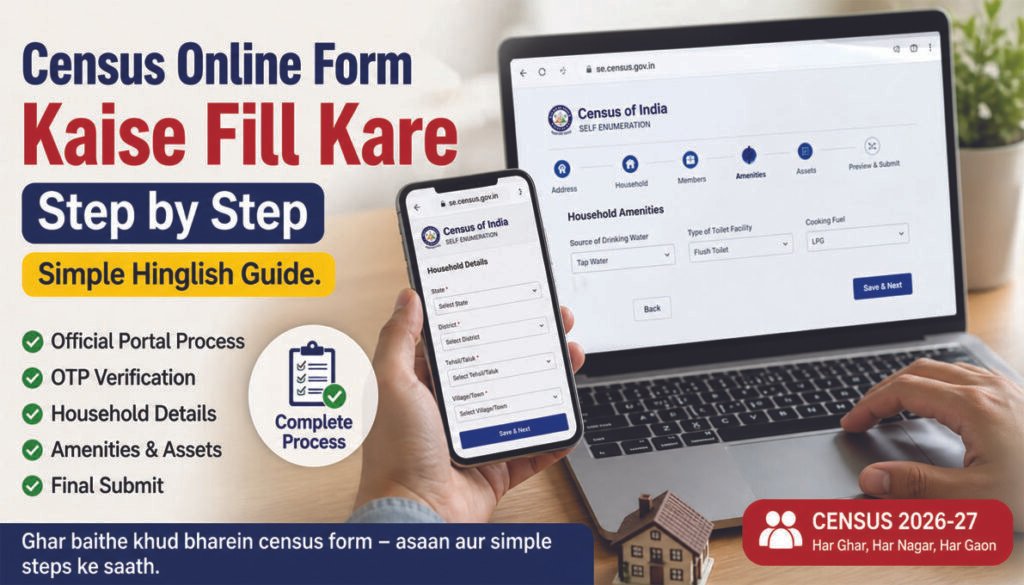
Census online form kaise fill kare Overview
Census online form kaise fill kare yeh un logon ke liye important hai jo apni census information khud submit karna chahte hain.
Census online form official self-enumeration portal ke through fill kiya jata hai, jahan users apni information directly submit kar sakte hain.
Agar aap census ke poore system ko samajhna chahte hain to india census 2026 complete guide zaroor dekhein.
Census Online Form Fill Karne Se Pehle Kya Ready Rakhein
Form start karne se pehle kuch basic cheezein ready rakhein
- Mobile number OTP ke liye
- Basic household information
- Address details
👉 Isse form filling process smooth ho jata hai.
Step-by-Step Census Online Form Kaise Fill Kare
Step 1: Official Portal Open Kare
Sabse pehle official self-enumeration portal open karein aur form section par jayein.
Census process ke initial stage me ghar aur facilities ka data kaise collect hota hai, yeh samajhne ke liye house listing census kya hai guide padhein.
Step 2: Basic Details Enter Kare
Head of family ka naam aur mobile number enter karein. Email optional hota hai.
Step 3: OTP Verification
Mobile number verify karne ke liye OTP enter karein aur language select karein.
Digital system aur mobile based data collection kaise kaam karta hai, iske liye digital census system kya hai guide check karein.
Step 4: Location Details Fill Kare
- District
- Pincode
- Area
👉 Map par apne ghar ki exact location select karke confirm karein.
Step 5: Household Details Fill Kare
- Ghar ka type
- Rooms ki sankhya
- Ownership status
Step 6: Family Members Details Add Kare
Ghar me rehne wale members ki total sankhya aur basic details fill karein.
Step 7: Facilities Details Fill Kare
- Water source
- Electricity
- Toilet
- LPG ya cooking fuel
Step 8: Appliances aur Assets Details Fill Kare
- Mobile phone smartphone ya normal
- Internet availability
- TV, laptop
- Vehicle, cycle, scooty, car
Step 9: Review and Check Details
Sab details ko ek baar dhyan se check karein.
Step 10: Final Submit Kare
Sab kuch verify karne ke baad form submit karein.
👉 Submit ke baad changes nahi kiye ja sakte.
👉 Final verification enumerator ke through kiya jata hai.
Form submit karne ke baad jo ID generate hoti hai uska use kaise hota hai, yeh samajhne ke liye census id number kya hota hai guide dekhein.
Important Points Dhyan Rakhein
- Sab information sahi fill karein
- Mobile number active hona chahiye
- Form submit karne ke baad reference save karein
Simple Summary
Census online form kaise fill kare ye guide ek simple process hai jisme aap apni basic, household aur facilities information online submit karte hain aur baad me verification hota hai.
FAQs
Q1: Census online form kaise fill kare?
Census online form step-by-step details fill karke aur OTP verify karke submit kiya jata hai.
Q2: Census online form fill karne ke liye kya chahiye?
Mobile number aur basic household details required hoti hain.
Q3: Kya census form mobile se fill kar sakte hain?
Haan, mobile ya website ke through form fill kiya ja sakta hai.
Q4: Kya form submit ke baad edit kar sakte hain?
Nahi, submit ke baad changes possible nahi hote.
Q5: Census online form me kaun si details fill hoti hain?
Household, members aur facilities se related details fill hoti hai
Q6: Census online form kaise fill kare fast tarike se?
Census online form kaise fill kare fast, iske liye pehle sab details ready rakhein aur step-by-step form complete karein.
Q7: Census online form kaise fill kare bina mistake ke?
Census online form kaise fill kare bina mistake ke, iske liye submit se pehle sab details check karna zaroori hai.
Q8: Census online form kaise fill kare first time users ke liye?
Census online form kaise fill kare first time users ke liye, simple steps follow karke easily form complete kiya ja sakta hai.