
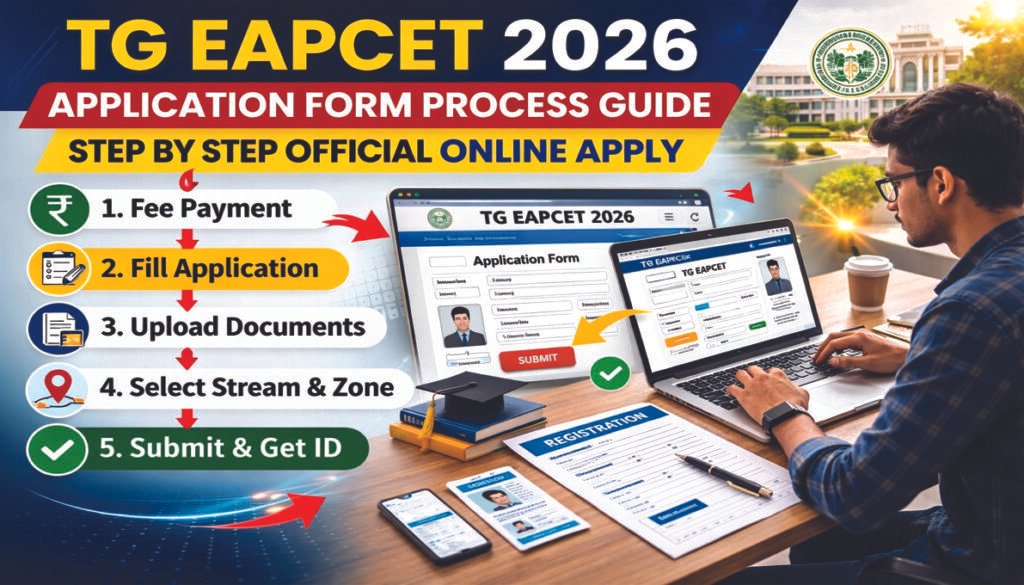
TG EAPCET 2026 Application Form Process – Complete Official Guide
TG EAPCET 2026 Application Form Process ko samajhna un sabhi candidates ke liye zaroori hai jo Engineering, Agriculture ya Pharmacy streams ke entrance exam ke liye apply karna chahte hain. Application submission ek structured online workflow follow karta hai, jismein registration fee payment se lekar final confirmation tak multiple stages hote hain.
Yeh guide simplified Hinglish mein official application system ke basis par explain ki gayi hai taaki first-time applicants bhi bina confusion form fill kar saken. Official Portal Visit Karein.
Step 1: Official Website Visit Karein
Application process start karne ke liye candidate ko official website open karni hoti hai.
Recommended system setup
- Google Chrome browser use karein
- Stable internet connection rakhein
- Pop-up blockers disable Karein
Isse form loading aur payment errors avoid hote hain.
Step 2: Mandatory Details Ready Rakhein
Form fill karne se pehle candidate ko required documents ready rakhne chahiye.
Required details include
- Debit / Credit Card ya Net Banking details
- Qualifying exam hall ticket number
- SSC hall ticket number
- Date of Birth proof
- Parent income certificate
- Caste / Category certificate (if applicable)
- Study certificates
- Mobile number & email ID
Incomplete data hone par submission delay ho sakta hai.
Step 3: Pay Registration Fee
Homepage par Pay Registration Fee option select karna hota hai.
Payment modes available
- Debit Card
- Credit Card
- Net Banking
- TG Online centres.
Important instructions
- Payment ke dauran browser refresh na karein
- Back button press na karein
- Payment interrupt na karein
Successful transaction ke baad Payment Reference ID generate hota hai. Isko future use ke liye save karna mandatory hai.
Note: Registration fee amount stream aur category ke hisaab se vary karta hai. Exact fee details official notification mein verify karni chahiye.
Step 4: Check Payment Status
Agar payment confirmation show na ho
Know Your Payment Status option use kar sakte hain.
Enter Karein
- Hall ticket number
- Date of Birth
- Mobile number
- Stream
Agar payment details reflect na karein, fresh payment karna pad sakta hai.
Step 5: Fill Online Application Form
Fee payment successful hone ke baad
- Fill Online Application tab click karein
- Payment Reference ID: enter karein
- Hall ticket number enter karein
- Mobile number aur DOB verify karein
Iske baad application dashboard open hota hai.
Step 6: Candidate Personal Details
Fill karein
- Candidate name
- Father’s name
- Mother’s name
- Gender
- Category
- Minority / Non-Minority
- PH status (if applicable)
- Annual income range.
Income categories
- Below 1 Lakh
- 1–2 Lakhs
- Above 2 Lakhs.
Step 7: Bank & Address Details
Future correspondence ke liye bank details required hoti hain
- Account holder name
- Account number
- IFSC code.
Address section
- House number
- Street / Village
- District
- State
- Pin code.
Step 8: Qualification Details
Educational section mein fill karein
- Qualifying exam type
- Board name
- Group subjects
- Year of appearing/passed
- Medium of instruction.
Accepted boards include
- Intermediate Board
- Diploma
- CBSE
- ICSE
- NIOS
- Other equivalent boards.
Step 9: Stream Selection
Streams available
- Engineering
- Agriculture & Pharmacy
- Both.
Important note
Stream selection freeze ho jata hai. Submission ke baad change allowed nahi hota.
Step 10: Test Zone Selection
Candidate exam centre preferences choose karta hai.
Note
- Zone selection baad mein change nahi hota
- Nearest centre choose karna advisable hai.
Step 11: Photo & Signature Upload
Agar auto-populate na ho to manually upload karna hota hai.
Photo guidelines
- JPG format
- Size under 50 KB
Signature guidelines
- JPG format
- Size under 30 KB
Step 12: Save & Preview Application
Form partially save kiya ja sakta hai.
Options available
- Save
- Next
- Preview
Preview stage par saari entries carefully verify karni hoti hain.
Step 13: Modify & Final Submit
Agar correction required ho
- Modify option use karein.
Sab details correct hone par
- Declaration accept karein
- Submit button click karein
Confirmation message screen par display hota hai.
Step 14: Registration Number & Printout
Final submission ke baad
- Registration number generate hota hai
- Application print/download option available hota hai
- Email confirmation received hota hai
Registration number future correspondence ke liye important hota hai.
Registration Number Forgot Ho Jaye To
Portal par Know Your Registration Number option available hota hai.
Retrieve karne ke liye
- Payment reference ID
- Hall ticket number
- Mobile number
- DOB required hota hai
Scope of This Guide
Yeh article sirf TG EAPCET 2026 Application Form Process cover karta hai.
Isme include nahi hai
- Counselling
- Rank calculation
- Seat allotment
Conclusion
TG EAPCET 2026 Application Form Process ek multi-stage official workflow hai jisme fee payment, personal data entry, qualification verification, document upload aur final submission steps include hote hain.
Candidates ko advised kiya jata hai ki final submission se pehle saari details verify karein aur updates sirf official portal par hi check karein.
FAQs
Q1. Kya fee payment ke bina form fill kar sakte hain?
Nahi, pehle payment mandatory hai.
Q2. Payment Reference ID ka use kya hai?
Application access aur tracking ke liye.
Q3. Stream change kar sakte hain?
Nahi, once selected freeze ho jata hai.
Q4. Photo format kya hona chahiye?
JPG format, prescribed size limit ke andar.
Q5. Registration number kaise milega?
Final submission ke baad generate hota hai.
Q6. TG EAPCET 2026 Application Form Process start karne se pehle kya ready rakhein?
TG EAPCET 2026 Application Form Process start karne se pehle hall ticket details, ID proof aur payment mode ready rakhein.
Q7. TG EAPCET 2026 Application Form Process mein Payment Reference ID kab milta hai?
TG EAPCET 2026 Application Form Process mein fee payment successful hone ke baad, Reference ID generate hota hai.
Q8. TG EAPCET 2026 Application Form Process mein partially filled form save kar sakte hain?
Haan, TG EAPCET 2026 Application Form Process mein Save option available hota hai.
Q9. TG EAPCET 2026 Application Form Process mein exam centre kaise select hota hai?
TG EAPCET 2026 Application Form Process mein test zone preference dropdown se select hota hai.
Q10. TG EAPCET 2026 Application Form Process complete hone ke baad kya milta hai?
TG EAPCET 2026 Application Form Process complete hone par registration number generate hota hai.
Table of Content
UG NEET 2026 Online Application Starts, Latest Big Update for Medical Aspirants